Smart EV Charging with Dynamic Electricity Prices
Choose between instant charging, scheduled charging, and Smart Mode, then use lower-price hours when dynamic electricity prices, compatible tariffs, vehicle context, and charger setup support it.
How Smart Charging works from app choice to charger control.
Smart Charging starts with a driver decision in the mobile app, then depends on the charger, tariff, vehicle context, and market-price data configured behind that charger.
Choose Instant, Schedule, or Smart Mode
Drivers can use Instant charging for a direct session, Schedule charging for fixed or non-market setups, or Smart Mode when the charger and tariff context support it.
Assign the charger and tariff context
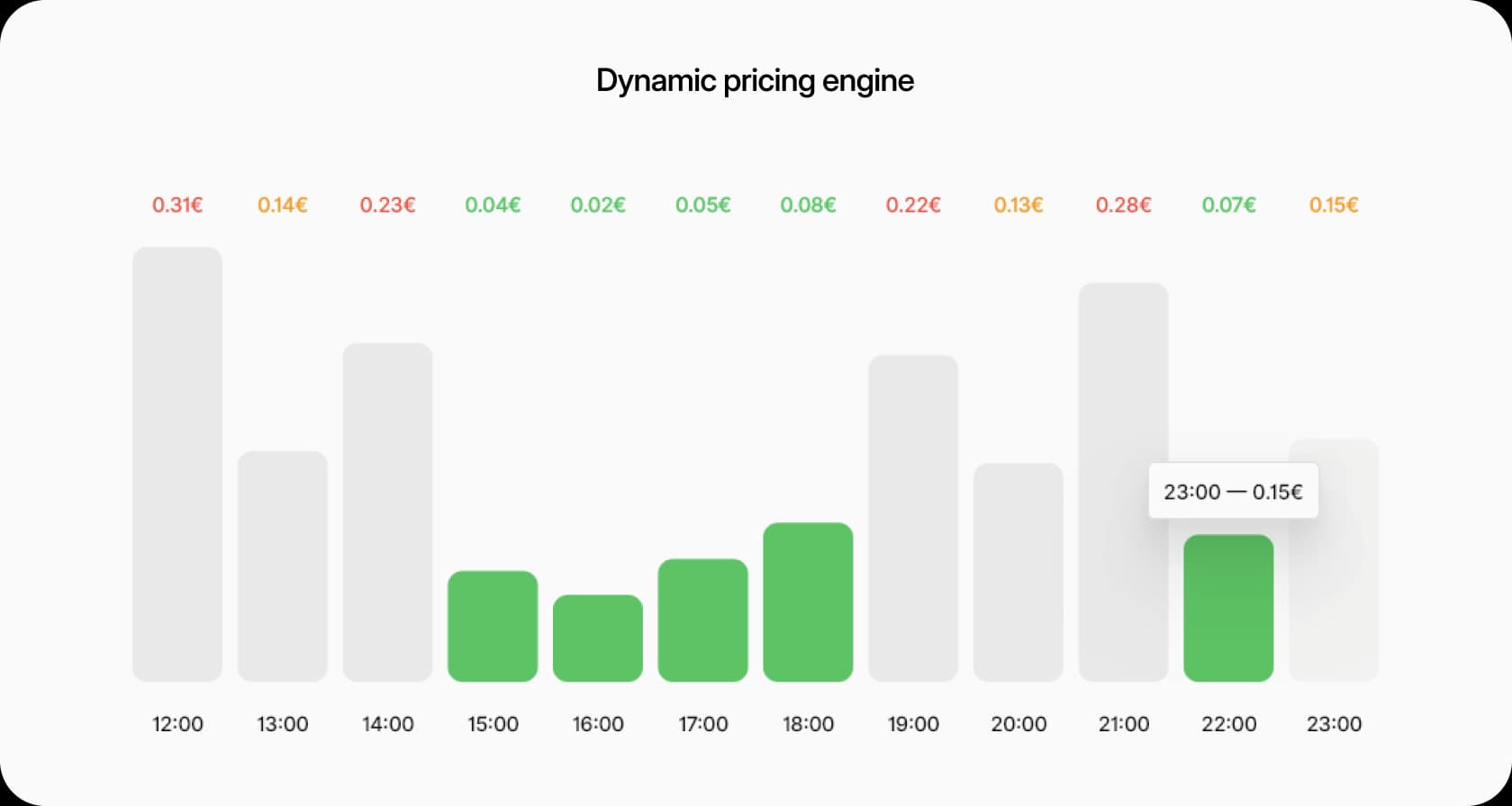
Price-aware charging needs a compatible tariff assigned to the charger or connector, with bidding-zone market data available for the charging window.
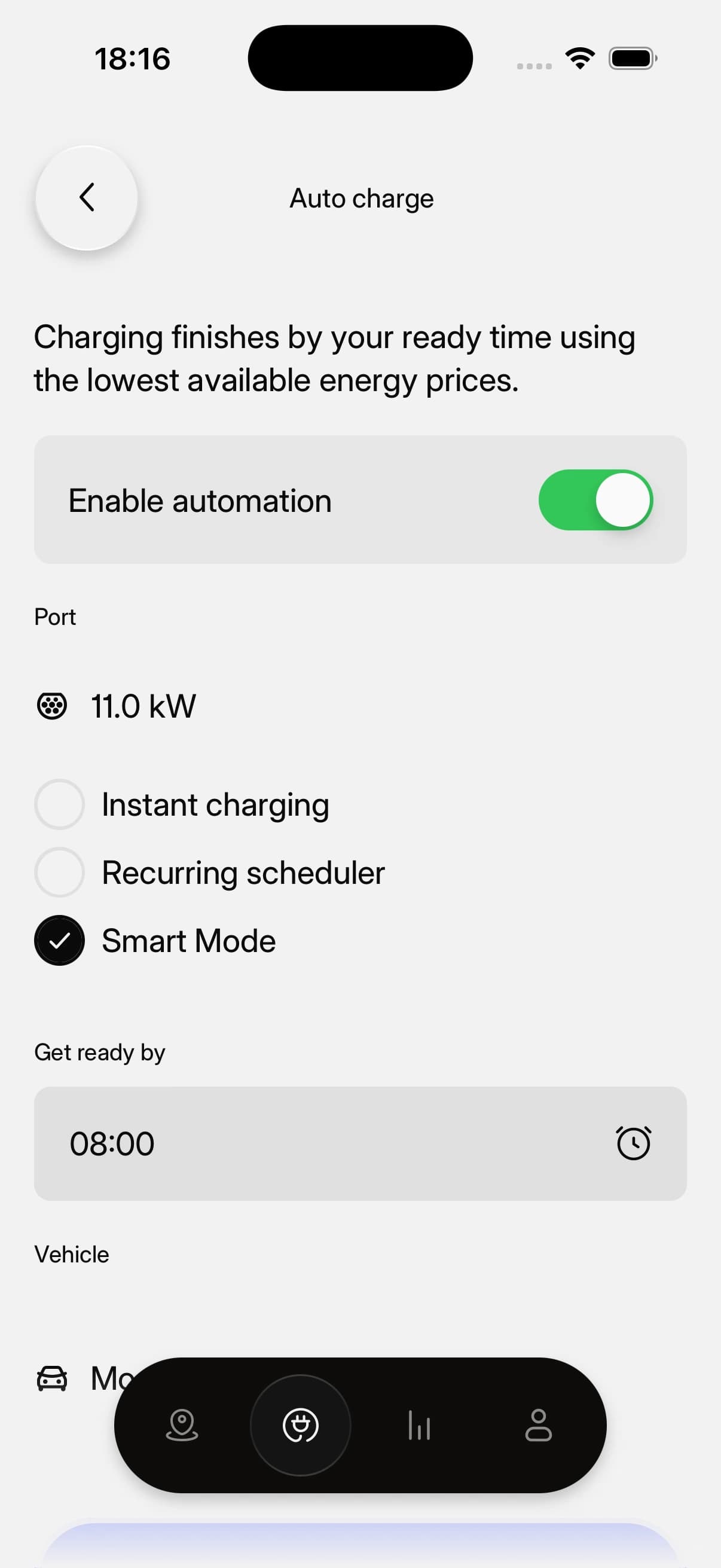
Use Auto charge with a ready-by time
With Auto charge enabled, the driver can set when the vehicle should be ready and let Smart Mode plan the charging window where supported.
Control the compatible charger
EVCharge.mobi sends the supported charging behavior to the charger and keeps the resulting session visible in app history and operator reports.
Driver Smart Charging with the operator setup behind it.
Smart Charging is clearest when the driver app screen is paired with the tariff and smart-profile context that makes price-aware charging possible.
Smart Charging
Use price-aware charging windows for a connected vehicle where the charger and tariff setup support it.
Vehicle charge limit
Check connected vehicle state of charge and charge-limit context before using scheduled or Smart Charging.
Dynamic tariff setup
Configure a market-based tariff with bidding-zone context, tax, EnergyMarket rule, and live market price preview.
Charging profiles list
See Smart Charging, recurring workplace, and DLM ChargePointMaxProfile examples in one profile view.
Create charging profile
Create charger-control profiles with OCPP purpose, kind, rate unit, stack level, and schedule context.
What Smart Charging needs before it can optimize a session.
A simple scheduled session and a price-aware Smart Mode session do not require the same setup. Smart Mode needs the charger, tariff, price data, and driver context to line up.
- Required
Compatible charger control
The charger must communicate reliably and support the control behavior needed for scheduled or profile-based charging.
- Required for prices
Market tariff assigned
Price-aware scheduling needs a compatible tariff setup and market-price context assigned to the charger or connector.
- Required for prices
Upcoming market prices
Day-ahead or upcoming price data must be available for the configured bidding zone and time window.
- Required
Ready-by time and flexibility
The driver needs to set a ready-by time with enough room for the system to move charging into suitable hours.
- Fallback
Scheduled charging fallback
Schedule charging can still be useful when dynamic prices are not assigned to the charger or connector.
- When supported
Vehicle telemetry and charge limit
Vehicle state of charge and charge-limit values improve the charging context when available, but availability depends on the connected vehicle and account setup.
- Related feature
Dynamic Load Management is separate
Smart Charging plans timing and session behavior. Dynamic Load Management coordinates shared site capacity where the installation supports it.
Common questions.
Short answers for charger owners, drivers, installers, businesses, and small CPOs evaluating EVCharge.mobi.
Bring your chargers online today.
Create a free CPO Portal account and connect your first OCPP charger in minutes.